Posts

Showing posts with the label android

A Gift

Image
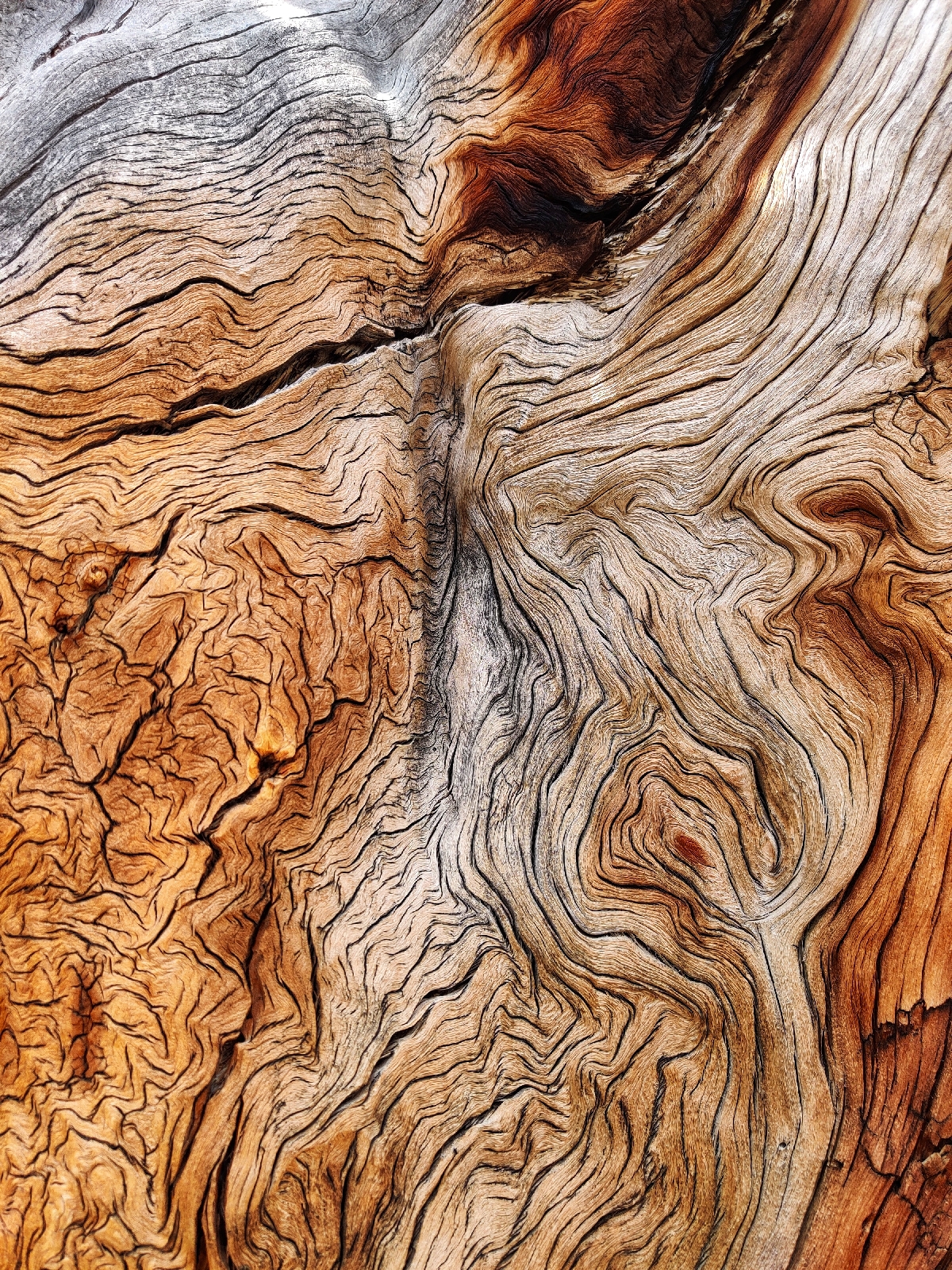
Last week, with the weather hitting triple digits here in Colorado, I decided to spend a few days in the high country where it was cooler.  As I walked around a trail I came upon this stack of stumps that had been piled by the forest service. This cross hatch caught my attention and I couldn't help but grab an quick snap.  This was taken with my Android as I didn't have my Pentax with me, but a friend saw it and said she thought it was wonderful so I had a print made and gave it to her.  She has to find her own frame so I haven't seen the final iteration yet. 

Accidentally Grabbed

Image
Let me apologize for my inactivity. I've been extremely exhausted these past 10 days or so and haven't been capable of stringing a coherent sentence together. Luckily, today's post is mostly just an image. This was caught this moening by accident and I thought it was interesting enough to share. A screen capture by accident:

Ta Da! [Updated]

Image
A few weeks ago I broke my mobile phone, a OnePlus One device that had served me faithfully for two and a half years. So, I went smartphone shopping. First I swung by the TMobile store and looked at their current offerings and left less than impressed. For those of you who don't use TMo as your mobile provider you've probably never stepped foot in a TMo store and seen their displays: Apple takes up one wall and Samsung takes up another. Sure, there's a slight corner where they showcase some lower end devices, LG and HTC phones, as well as tablets and accessories, but their large push is with i -devices and Samsungs. Neither of those choices were options for me. Not that there is a problem with either, but personal preference. I've been in the Android ecosystem for far too long to suddenly switch to the limitations built into iOS and Samsung's ship with far too much bloatware. As my long time readers will note, I've been searching for a device with a physic...

It's Been 15 Days Without a Phone

Image
Tomorrow marks two weeks since I broke my OnePlus-1. I've spent more than a few hours reading reviews and watching YouTube videos on a number of replacement devices. It's been a whirlwind of a journey as I debated one feature over another, what is most important to me and what will hold up the longest. There were some caveats, of course. Such as, due to financial restrictions, the device couldn't cost too much and it should work well on my cellular provider's network. The thing is, I like being unique. My truck isn't very common, my motorcycle isn't very common - nothing I do is "follow the pack." When everyone was buying iPhones, I was an early Android adopter. When everyone else had Motorola Razr phones, I had a Blackberry Pearl. Before that the popular phone was the StarTac flip phone and I was sporting the Nokia. I've also always preferred production devices over entertainment ones. I need a powerhouse that allows me to be functional, not p...

Day One Without a Cellphone

Image
Let me preface this by saying I grew up long before cell phones were in everyone's pocket. In fact, I didn't have my first cell phone until I was in my twenties, so I know a thing or two about living without having the world's knowledge at my fingertips. My first day without a cell phone was both frustrating and liberating. It began as all things do - in the beginning: My alarm didn't go off. As it turns out, like many of us, I use my cell phone as an alarm clock, which is convenient since it's on the charger all night next to the bed. Normally in the mornings I'll check for any emails that came in overnight, check the headlines to make sure no one has started World War III and then, maybe if I'm not in a rush, I'll flip through social media to see who's doing all the exciting things I'm not. Or look at pretty pictures. The real inconvenience came when I realized I had no reminder for an appointment. Luckily for me I knew the appointment ...

Ooops... I think I broke it.

Image
I titled this "Oops" as though I this was an error. No, this was not an error. This is what happens when your frustrated with a (Google) app constantly not working right and a touchscreen that has decided to have dead spots - spots on the screen that no longer reacted to touch.  Yeah, this was no "Ooops" but rather the result of not having a hammer or rock nearby. I really would have preferred a sledge hammer. So, now I'm in shopping for a new inexpensive phone and have my eye on a 2-2 1/2 year old BlackBerry just because it's cheap (and has a physical keyboard. Oh, how I miss having a physical keyboard!) Heck, I'd even consider the new Nokia if they were out already. In the meantime I'm phone-less. Luckily most people have my Google Voice number where I can send and receive SMS messages, check voicemails and even make and receive calls from my computer. TMo Rep Said They Couldn't Fix That

The question for the ages: which is better, #Android or #Apple?

The question for the ages: which is better, #Android or #Apple? One study suggests ... opening the article to find out. http://www.maxim.com/gear/android-more-reliable-than-iphone-2017-3

Anyone have some advice for this #Android dilemma? Please comment on the origin post.

Anyone have some advice for this #Android dilemma? Please comment on the origin post. Originally shared by Emmaly Wilson I need some creative thinking from you folks. I have a friend that broke her Nexus 6P phone screen. It's still powered on and is able to be unlocked via fingerprint (because it hasn't been rebooted). The screen is off completely. It seems that some of the touch screen works, but probably not all. She can likely install apps via Google Play if needed. USB debugging is not already enabled. She needs to get her pictures off the phone. She didn't have any sort of backup turned on, which also means no auto Google Photos backup. Plugging in via USB just goes to charging mode, not camera mode. Any thoughts on how she might be able to get something to work? I have a USB-C hub that would allow her to get a mouse or some other USB device connected and working. Maybe there is a file access program or screen sharing program or screenshot-fetching program th...

Google Now, Trebuchet and Frustration

Image
One minute you wake up and the next you're wondering WTF just happened here. That's what happened to me yesterday. Like most days I was going about my business not bothering anyone when Google (via Android on my phone) informed me there were some apps that were ready for updates. As I'm not one to have thousands of apps on my devices, and most of those being official "Google" apps, I went ahead and hit the button for "update all." A little later in the day I found myself in a place with no cellphone coverage. The receptionist even asked me if my carrier was T-Mobile when I mentioned something about having no service to my friend. Apparently, TMo is the only service provider in the area who doesn't get service in that particular office. Fast forward about 40 minutes and we leave. As soon as we step outside my phone informs me there is an OS (that's operating system  to you laymen) update. A little excited about the fresh new goodies I'm a...

That seems like an extremely awesome feature.

That seems like an extremely awesome feature. Originally shared by Kickedface A small tip for all Android Users. So who knew this one? #Android   #Hangouts   #HangoutDialer   #Google   http://kickedface.blogspot.com/2015/09/tip-use-nfc-to-transfer-hangouts-calls.html

Priceless!

Priceless!  #apple #android Originally shared by Droid Life What happens when you load up a fake iPhone with Android and tell people it's running iOS 9? This. #android   #apple   #iphone   #ios   http://bit.ly/1IUtzML http://bit.ly/1IUtzML

Goofygus

Image
Goofygus Just like the nearly 365 other days of the year, I took Rufus for a walk about an hour or so after his evening meal. We didn't go far, just to a nearby park where I let him run around off leash for a few minutes. While he was rolling around in the grass I saw something I'd always wanted a picture of but have never been able to get. Rufus hates the camera. He really does. It doesn't matter if it's my Pentax or my Android. As soon as he sees the camera in my hand he turns away. Today I didn't have my dSLR, just my Android, so I grabbed a couple of quick shots, much to his dismay. I had to hold him down with one hand while I snapped with the other (which isn't easy to do on a 5.2" touchscreen, by the way). Anywho, this is one of two images I captured that I liked enough to share. Why Goofygus ? Years ago Rufus was acting goofier than usual so I gave him a slight nickname. As always, edited with Snapseed.

Purple Flower

Image
I keep forgetting to post my images on here. I'd been without editing software for my dSLR (Pentax K5) for a couple of months and sort of got out if the posting habit. However, with mobile photography there were still gazillions of options. My most commonly used is Google's Snapseed by Nik Software. Anywho, here's a flower from this morning while out walking the dog.

Google NOW has New Commands!

Image
Since this handy-dandy infograph has already been shared all over the interwebz, I don't feel like my posting it is special anymore. However, I did take the time and effort to copy and past the link to this image so I'm going to publish this anyway. Why? Why not? I present unto thee, Google NOW commands! Google Now voice commands by trendblog.net

Tug-o-War

Image
I haven't posted recently since my computer went kaput, but I've been wanting to, so here's a couple of Android shots of Charlie playing tug-o-stick with Willow, the pit bull mix at the dog park this morning. These are, of course, edited with Snapseed.

The Dogs

Image
My dog Rufus and my roommate's dog, Charlie. I haven't shared pictures of them recently, at least not on this blog and these Android shots were sitting on my phone collecting electronic dust. I have some pictures from last weekend's Zombie Crawl to upload as well and will hopefully get those out in the next day or two. As always, these were edited with Google's Snapseed mobile app before sharing.

In the Mirror

Image
Last night I had dinner at the Lumber Baron Inn, a bed and breakfast in an old mansion on the west side of Denver. The entire place was decked out in the macabre, skulls and other ghostly attire, draped just about everywhere as many places are this time of year. In the upstairs men's room, above the urinal, this skull stared back at those of us relieving ourselves. Naturally, I snapped a photo. There was some glare and reflection in the image so I had to use some creative editing to reduce those impurities before deeming the image shareable. Here it is, my final product, edited solely with Snapseed for Android. Does it scare you?

At the Dog Park

Image
For the first time in weeks I brought Dumb and Dumber to the dog park. They're having a blast however neither one of them wanted to model for me. Plus this Android's camera is slow. Here are a couple of shot of the two dogs, edited with Snapseed, for your comedic pleasure. Rufus Hating the Camera in his Face Rufus in Black and White Looking Down on Charlie Charlie Sitting Pretty

After the Flood

Image
Here are a couple of pictures from the hail storm that rolled through eastern Denver/western Aurora, CO this afternoon. The water in this is actually a park that flooded with more than 6 feet of water height, going so far as to cover signs and guard rails. The sidewalks were, and are, underwater, however the water covering the playground has since receded. As always, these were edited with Snapseed. Rufus looking for ducks, or something else to kill The mist forming from the warmer water hitting the cooler air, with a old photo twist A young girl separated from the playground by flood waters Rufus of the Mists

An Evening at the Dog Park

Image
I didn't bring my dSLR to the dog park and I really wish I had considering the amazing sunset I witnessed. These were taken with my Android and edited with Snapseed. I especially love the one with the last ray of sunshine escaping over the mountains, red against the bluish clouds behind.